


 Resources

Start with your website, store, content, or idea and create an app around the way you already work.
Give clients a professional app-building experience that runs under your agency’s brand.


Offer mobile app creation under your own brand with a fully white-labeled app building platform.

Send platform communication from your own domain to maintain a consistent brand identity.

Assign roles and access levels so your team can manage client apps with the right controls.
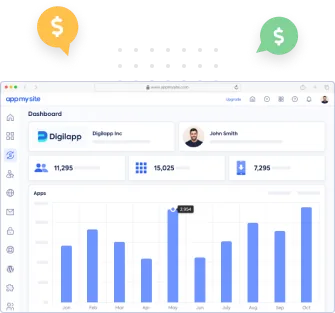
Manage your clients’ apps from a centralized agency app builder dashboard built for agency operations.


Create Android apps, iPhone apps, and Progressive Web Apps without coding and publish to Google Play and Apple App Store with ease.
Generate APK and AAB builds ready for Google Play and publish Android apps with more speed and control.
Create native iPhone apps ready for Apple App Store submission with guided certificate support and smoother updates.
Launch fast, installable PWAs that work across browsers and give users a lighter app experience without app store submission.
Use our white-label mobile app builder to create apps for clients under your brand and grow your agency without expanding your development team.
Explore agency app builderWe’ve been featured on




AppMySite’s agency app builder lets agencies, freelancers, and service providers offer app-building services under their own brand. You get an agency dashboard where you can manage client apps, customers, subscriptions, branding, domains, email settings, integrations, and team members from one place.
Your customers can sign up, create apps, and work inside your branded app builder without seeing AppMySite.
It is built for agencies, freelancers, consultants, hosting companies, SaaS providers, and service businesses that want to offer mobile app creation to their own customers. You do not need to be a traditional agency to use it.
If you manage multiple client app projects or want customers to create apps through your branded platform, the agency app builder is the right fit.
You start by creating a regular AppMySite account, because your account is used to log in and manage your agency setup. Once inside AppMySite, you can create an agency app builder from your account and configure the parts of the white-label experience you want to offer.
After the agency app builder is created, you can manage apps, customers, subscriptions, branding, domains, email, authentication, integrations, and team members from the agency dashboard.
Yes. You can create multiple agency app builders if you manage different brands, business units, customer groups, or app-building operations.
Each agency app builder can have its own setup, so you can keep different agency brands or client groups organized separately.
Both are possible. You can create and manage apps for clients as part of your service offering, and your clients can also sign up through your branded app builder and create apps themselves.
In either case, the apps are managed through your agency environment, so you can oversee client apps, customers, and subscriptions from your dashboard.
No. The agency app builder is designed so you can offer app-building services without hiring developers or writing code. You and your customers use AppMySite’s visual, UI-based app-building tools to create, customize, preview, manage, and publish apps.
The technical infrastructure behind the app builder is handled by AppMySite, while your customers experience it under your brand.
No. The white-label experience is designed so your customers interact with your brand, domain, emails, colors, logo, and app-building environment.
They do not need to see AppMySite branding while signing up, logging in, creating apps, receiving platform emails, or managing their app projects.
White label means your agency app builder runs under your brand instead of AppMySite’s. Your customers access the platform from your domain, see your logo and colors, receive your branded experience, and do not need to know that the app builder is powered by AppMySite.
Yes. You can add your domain inside the domain section of your agency app builder and update your DNS records by pointing the required CNAME to AppMySite. Once the domain is configured, your customers can access the app builder from your own domain.
AppMySite manages the SSL setup, so the branded domain can run securely without you handling certificates separately.
Yes. Transactional emails such as password reset emails, billing emails, team invitations, account emails, and other system-generated emails can be sent from your branded email address instead of AppMySite’s.
If you do not configure your own email settings, these emails may be sent from AppMySite’s default domain, so it is best to configure your branded email setup early.
Yes. You can add your agency logo, brand colors, and visual identity so the app builder feels like your own product.
This helps create a consistent experience for customers from login through app creation and account management.
Yes. You can configure Google login for your customers by adding your own Google client ID and related authentication details.
This lets customers sign up or log in using Google inside your branded app builder.
Yes. You can add your own support details, contact information, and help links so customers know how to reach you directly.
This is important because you are the service provider for your customers, and the white-label experience should point them back to your support channels.
Yes. You can download a white-labeled version of the WordPress plugin from inside AppMySite and provide it to your customers.
They can install it on their WordPress websites to connect their sites with the app builder, without seeing AppMySite branding in the plugin experience.
Yes. You can configure your own OneSignal account for push notifications.
Once connected, push notification setup for client apps can run through your white-labeled system instead of AppMySite’s default setup, giving you more control over the notification experience for your customers.
Yes. Your clients can sign up through your branded agency app builder and create apps themselves without you needing to build every app for them.
This is useful if you want to offer a self-serve app-building experience under your own brand.
Yes. You can create apps for clients from your own account, add clients with the permissions they need, manage customer details, view app details, check subscriptions, review usage, track downloads, and access client accounts when you need to support them. This gives you one place to manage your customers and their apps.
If you create an app from your account, you remain the owner of that app. The app cannot currently be transferred to another account later, though the client can be added as an admin or team member. For this reason, we recommend creating apps for clients yourself only when you plan to keep managing those apps as part of your service.
Yes. You can manage client app subscriptions from your agency dashboard. Client apps may start on a free plan, and when a client is ready to upgrade, you can move the app to the appropriate paid plan from your backend.
This keeps the commercial relationship between you and your client, instead of making AppMySite the billing relationship your customer sees.
No. Clients cannot upgrade their own plans directly from the white-label app builder. They need to contact you when they are ready to move to a paid plan, and you can then upgrade the app for them from your agency dashboard.
This is intentional because the agency app builder is not meant to be a fully automated SaaS replacement. It is designed for agencies and service providers who want to offer app-building services, manage client relationships, and control billing outside AppMySite.
Yes. You can add team members to your agency app builder so your internal team can help manage client apps.
This can include account managers, support teams, or anyone else involved in delivering app-building services to your customers.
Yes. In a white-label setup, your clients contact you directly for help.
They do not approach AppMySite because the platform is presented under your brand, with your support details and help links.
You can create client apps across AppMySite’s product range, including WordPress to app, WooCommerce to app, Shopify to app, Website to app, and Custom mobile app.
This lets you serve clients who already have websites, online stores, or web apps, as well as clients who want to create an app without starting from a website.
Yes. You can create Android apps and iPhone apps for clients with AppMySite.
Android app creation is available across plans, while iPhone app creation depends on the plan selected for the client app.
Yes. Progressive Web Apps can be created for client apps built with AppMySite’s Custom mobile app product.
This gives clients a browser-based app experience in addition to native Android and iPhone apps where applicable.
Yes. If a client already has a website, store, blog, or web application, you can use AppMySite to turn it into a mobile app.
Depending on the client’s website, you can use WordPress to app, WooCommerce to app, Shopify to app, or Website to app.
Yes. If a client does not have a website, you can use AppMySite’s Custom mobile app product to create app content, screens, navigation, and a mobile experience directly inside AppMySite.
This is useful when the app itself is the primary product and there is no existing website to convert.
No. AppMySite branding does not appear on the apps you create for clients through your agency app builder.
The app can carry your client’s own name, icon, splash screen, colors, navigation, and brand identity. From the app user’s perspective, it is your client’s app, not an AppMySite app.
Yes. Client apps created through your agency app builder can be published on Google Play and the Apple App Store, depending on the product and plan used for each app.
AppMySite generates the app files needed for publishing, and you or your client can then move through the relevant store submission process.
Apps need to be published through Google Play and Apple developer accounts owned by you, your agency, your client, or the business responsible for the app.
They cannot be published through AppMySite’s developer accounts, so the app listing, store relationship, and ownership stay outside AppMySite.
AppMySite can generate Android APK and AAB files, along with iOS IPA files where iPhone app creation is included in the selected plan.
These files can be used for testing, review, submission, and distribution through the relevant app-store workflows.
App store rejections can happen, usually because of restricted business categories, incomplete app information, limited app functionality, or store guideline issues. If a client app is rejected, you can review the feedback, make the required changes, rebuild where needed, and submit the app again.
If you need help, you can contact AppMySite support behind the scenes while continuing to support your client directly through your own agency relationship.
You support your own clients. In a white-label setup, your customers use your branded app builder, see your support details, and contact you when they need help.
AppMySite supports you as the agency account owner, but your clients do not contact AppMySite directly unless you choose to involve us separately.
Yes. You can add your own support details and help links inside your agency app builder, so customers know where to go when they need help.
This lets you point clients to your own help center, documentation, contact page, email address, or support process.
Yes. AppMySite supports you as the agency account owner when you need help with platform setup, app configuration, publishing, or technical issues.
You remain the main point of contact for your clients, but you can reach out to AppMySite when you need help behind the scenes.
© 2018-2026 AppMySite Inc.