


 Resources
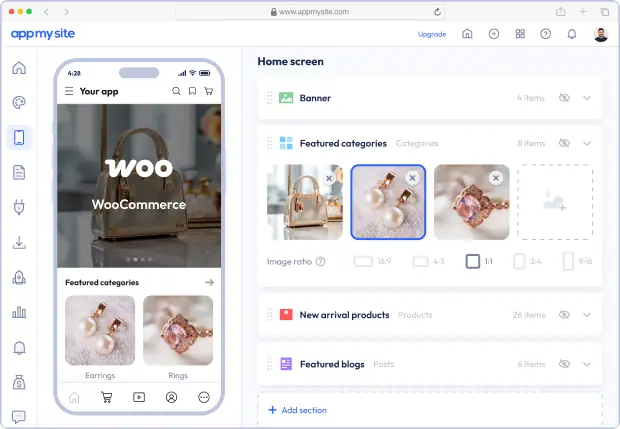
Present your WooCommerce store in a more mobile-friendly way with an app experience designed for easier shopping.
Your app updates automatically as your WooCommerce store changes, without publishing to the app stores each time.
Help shoppers browse products, categories, and featured items more easily with a mobile experience built for discovery.
Give customers a smoother path from product pages to cart and checkout with a buying journey designed for mobile.
Re-engage shoppers instantly with notifications sent to their devices, linking back to products, offers, and categories.
Generate native app builds that are ready for publishing on Google Play and the Apple App Store.
Make your store easier to browse with app-first menus, tabs, and navigation built for mobile shoppers.
App sessions delivered
Mobile app downloads
Mobile apps built
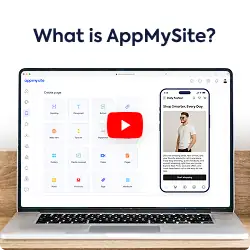
Product demo
See our app builder in action
Your WooCommerce app pulls the right store data into each screen automatically from your website.
Connect your WooCommerce store to your mobile app with the AppMySite plugin.

Keep product stock levels synced automatically between your WooCommerce store and mobile app.
Carry your WooCommerce shipping setup into the app so delivery options stay aligned with your store.
Apply your WooCommerce tax settings in the app checkout flow without extra manual setup.
Sync product categories to organize your mobile app’s store layout and improve navigation.
Your WooCommerce store and mobile app preserve the same storefront design so shopping feels consistent from web to mobile.
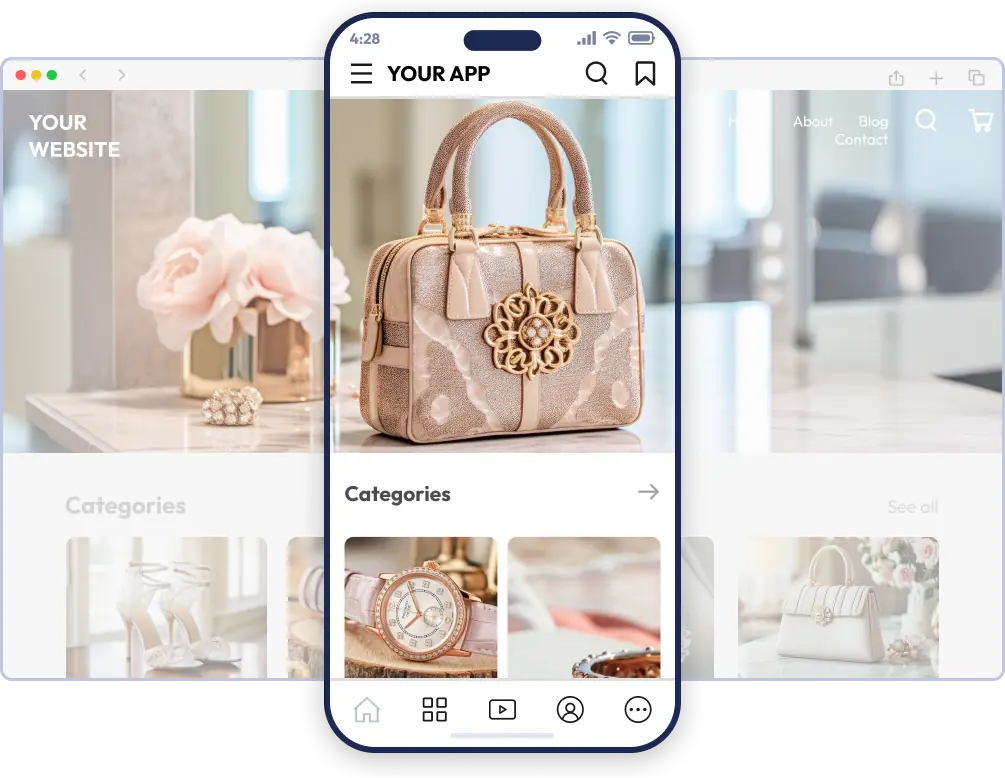
AppMySite gives your WooCommerce app the integration, reliability, and speed needed to support a stronger mobile storefront.
The app brings your store logic, catalog data, and buying flow into one cohesive mobile experience.
The AppMySite plugin helps connect your WooCommerce store quickly and keeps setup simple from the start.
The app experience is designed to load quickly, reduce lag, and keep mobile shopping smooth across every screen.
Your app supports the same payment gateways already configured on your WooCommerce website, so checkout stays consistent across web and mobile.
AppMySite gives you access to a wide range of features designed to help you create, customize, and manage your app with more control. From design, navigation, and user engagement to publishing, analytics, monetization, and more, you can shape your app around your goals.
Explore the full feature set to see how AppMySite helps you build better app experiences without coding and get started for free.
Explore featuresLaunch faster, eliminate development effort, and create mobile apps with the flexibility, control, and platform coverage your goals demand.
Go from website to mobile app in minutes with a faster, simpler way to build and preview.
Create and manage your app with a no-code builder designed for speed, control, and ease of use.
Generate store-ready app builds and publish across major app marketplaces with confidence.
Create your app for free and upgrade only when you are ready to publish and launch.
Create Android apps, iPhone apps, and Progressive Web Apps without coding and publish to Google Play and Apple App Store with ease.
Use our white-label mobile app builder to create apps for clients under your brand and grow your agency without expanding your development team.
Explore agency app builderWe’ve been featured on




You do not need to be a developer to build your WooCommerce app with AppMySite. The platform is designed for store owners who want to create, customize, preview, and prepare an app for publishing without writing code or managing technical app development work.
Instead of working with code, you use drag-and-drop tools, toggle-based settings, visual design options, and real-time preview features to shape your app. You can adjust branding, navigation, screens, and store features while seeing how your WooCommerce mobile app is coming together, without needing a background in app development.
AppMySite connects your WooCommerce store to your app through the AppMySite plugin and WooCommerce APIs. Once the connection is active, the app can fetch store data from your website and display it in a mobile app interface built for shopping.
A simple way to think about it is this: your WooCommerce website already displays the products, settings, and store data from your WooCommerce database. AppMySite works as another interface for that same store. It fetches data from the same source, so your website and app can stay consistent without you managing two separate stores.
Yes. The AppMySite plugin is required because it creates the secure bridge between your WooCommerce store and the app you build on AppMySite.
When a shopper opens your app, AppMySite requests the required store data through the plugin installed on your website. The plugin then reads the relevant data from your WooCommerce setup through WooCommerce APIs and sends it back so it can be displayed in the app. This is why the plugin needs to remain installed and active for your app to stay connected to your store.
You do not need to be a developer, and the connection process is simple. There are only a few setup steps: install the AppMySite plugin on your WooCommerce website, connect it to your AppMySite account, and make sure your store can communicate with AppMySite through the required APIs.
After that, most of the work happens inside AppMySite through guided controls. You can use visual settings, drag-and-drop tools, toggle-based options, and preview features to design the app, organize screens, configure navigation, test the shopping experience, and prepare the app for publishing without writing code.
Your WooCommerce website remains the main source of your data. When a shopper uses the app, AppMySite fetches the required information from your website through WooCommerce APIs, routes it through AppMySite servers, and displays it inside the app.
Some API responses may be stored to power analytics inside your AppMySite account. If you do not want data stored for analytics reporting, you can turn analytics off.
No. AppMySite does not overwrite, edit, or interfere with your WooCommerce products, orders, settings, or website content.
The app reads the data it needs through API connections and displays it to shoppers inside the app. Your WooCommerce store remains the source of truth, and AppMySite does not tamper with or modify your store data.
A mobile website is useful, but an app gives shoppers a more direct way to return to your store. Your app sits on the customer’s phone, keeps your brand visible, and gives returning shoppers a faster path back into your catalog.
Customers can stay logged in, browse products in a more app-like flow, receive push notifications, move toward checkout more easily, view order details, and track order status from inside the app after purchase.
Start by creating an app in AppMySite and connecting your WooCommerce store with the AppMySite plugin. Once the connection is ready, your store data can start flowing into the app.
From there, you can design your app, customize branding, organize navigation, configure product and store screens, preview the shopper experience in real time, test the app on devices, generate Android and iOS app builds, and move toward publishing on the app stores.
Yes. You can use AppMySite’s free WooCommerce app builder plan to create a WooCommerce app, connect your store, explore the builder, customize the design, configure store screens, and preview how the app works before upgrading.
You can test your WooCommerce app in AppMySite’s simulator and also download the app to a real device to see how it works on your phone. You can continue using the free plan until you are ready to upgrade.
In most cases, yes. A majority of hosting providers work with AppMySite without any issues, as long as your WooCommerce website is live, reachable, and your host allows access to the WooCommerce APIs your app needs.
You can use AppMySite’s connectivity troubleshooter to check whether your website can connect properly. If the troubleshooter flags a problem, it usually means something on your hosting setup, security configuration, or API access needs to be reviewed.
Yes. Your WooCommerce store remains the source of truth, so changes made in your store can appear in the app automatically.
When shoppers open your app, AppMySite fetches the latest store data through WooCommerce APIs and displays it in the app. This helps your WooCommerce app stay aligned with your website without requiring you to manage the same information in two places.
No. Regular changes made inside WooCommerce do not require a new app build or app-store submission. Your app can reflect store-side updates through the connection between your website, the AppMySite plugin, and your app.
You would usually need to rebuild or resubmit the app only when you make changes that affect the app build itself, such as certain app configuration, app-store, certificate, or build-level changes.
Your app depends on your WooCommerce website, database, and APIs for live store data. If your website, database, or API access is unavailable, app screens that rely on live data may not load correctly.
If caching is enabled in your app settings, cached content may remain available based on your configuration. Even then, your website database and API connection need to be available for live store activity and fresh app data to work reliably.
Your app can only be as fast as your WooCommerce website, database, and API responses. App screens that load live store data depend on how quickly your website can respond to those requests.
AppMySite does not add latency to these queries. If your app screens are slow, the first things to check are your hosting resources, database performance, API response times, caching setup, and overall WooCommerce performance.
Your WooCommerce app can display the product content and store information that comes with WooCommerce by default. This includes product details, categories, tags, images, prices, sale prices, attributes, variations, stock status, reviews, ratings, and other catalog data your shoppers need while browsing.
Shoppers can move through category screens, open product pages, search, filter, sort, read reviews, and interact with your catalog through a mobile app interface.
Custom fields may also be supported depending on how they were added to your store. AppMySite supports Advanced Custom Fields, so product data added through ACF can be displayed in your app.
Yes. Inventory and stock status in the app are pulled from your WooCommerce store, so product availability follows the data managed on your website.
Your desktop website, mobile website, and app all look at the same WooCommerce database for stock information. When an order is placed on the website or through the app, WooCommerce updates that stock information at the database level. The next shopper, whether they visit from desktop, mobile web, or the app, sees availability based on the updated store data.
Yes. AppMySite gives you control over how products, categories, and store screens are presented inside your app. You can shape a different mobile shopping journey from your website by choosing the navigation, screens, categories, and product paths you want shoppers to see in the app.
Yes. AppMySite is built to handle large WooCommerce catalogs by loading product data in smaller batches instead of trying to fetch everything at once.
This helps your app load catalog screens more efficiently and avoids placing unnecessary load on your store. Your hosting, database, API response times, and catalog structure can still affect performance, but the app is designed not to request your full catalog in a single load.
Many WooCommerce website plugins can work inside your app, especially when their data or functionality is available through WooCommerce or website APIs.
Plugins that create structured data can usually be displayed inside native app screens. Plugins that only change the visual appearance of your website, add front-end effects, or depend on scripts that are not available through APIs may need to be shown through WebView screens instead.
Membership and gated-content WooCommerce websites can work, but the exact behavior depends on how your website, plugins, access rules, checkout flow, and paid content are configured.
If the required functionality is available through WooCommerce or website APIs, it may work natively in the app. If it does not work natively, you can use WebView screens to display the website-based membership experience inside your app. You should also review Apple and Google rules if your app offers paid digital content, subscriptions, memberships, or locked features.
It depends on how the screen is loaded. Ads that appear on your website can display inside WebView screens because those screens load your website inside the app.
Native app screens fetch WooCommerce data through APIs, so website ad scripts such as AdSense will not automatically appear there.
It depends on the type of screen and tracking setup. Website analytics scripts can continue tracking activity on WebView screens because those screens load your website inside the app.
Native app screens do not run your website’s analytics scripts because they display WooCommerce data through APIs. However, AppMySite can track app activity through Firebase and GA4 when configured, including events such as screen views, sessions, clicks, scrolls, and other supported app interactions after your app is published.
Yes. If some of your content or functionality lives outside your WooCommerce store, you can use AppMySite’s WebView features to add pages from other websites or external sources inside your app.
You can also use WebView pages alongside native WooCommerce screens, so parts of your app can load website-based experiences while the rest uses native app layouts.
No. The cart inside your WooCommerce app is native to the app and is not synced with the cart on your WooCommerce website.
Yes. AppMySite supports WooCommerce’s built-in coupon functionality. If coupons are configured in your WooCommerce store, shoppers can apply eligible coupon codes inside the app.
The discount behavior follows the coupon rules already set up in WooCommerce, so you do not need to recreate coupon logic separately for the app.
Yes. AppMySite supports the WooCommerce Points and Rewards plugin. If you use WooCommerce Points and Rewards on your store, shoppers can redeem available rewards in the app based on the rules and configuration already active on your website.
Reward points added or redeemed in the app are updated in WooCommerce. The next time the same customer visits your website, they can see their updated points and rewards there as well, and the same applies when points are updated from the website.
Yes. Your app can follow the shipping methods, zones, rates, and rules configured in your WooCommerce store.
Shipping information is pulled from WooCommerce during the shopping and checkout flow, so the app reflects the same shipping setup your website uses. If you change your shipping configuration in WooCommerce, the app follows that configuration as well.
Yes. Tax settings are handled by your WooCommerce store. If taxes are configured in WooCommerce, the app can display and apply tax information based on the same tax rules during cart and checkout.
This means your app does not need a separate tax setup. The tax behavior comes from the WooCommerce configuration already used by your store.
Yes. Your app follows the account and checkout options enabled in your WooCommerce store.
Existing customers can log in and continue with their saved account details. Guest checkout can also be available in the app if your store allows guest checkout on your website.
Yes. The app can show the standard billing and shipping fields used by your WooCommerce checkout. Existing customer details can appear when shoppers log in, and new or updated details can be captured during checkout based on your store configuration.
Custom checkout fields may be supported depending on how they are added. Fields added through Advanced Custom Fields can also be supported where applicable.
Yes. Your WooCommerce app works with the payment gateways already configured on your store because payment is completed through your website checkout.
Whatever payment options appear on your WooCommerce website checkout can appear inside the app checkout as well.
Not always. If your WooCommerce app sells physical products or services consumed outside the app, in-app purchases are generally not required, and shoppers can use your normal WooCommerce checkout.
If your app sells digital content, subscriptions, paid access, feature unlocks, memberships, or other app-based digital goods, Apple or Google may require you to use in-app purchases. You should review the latest Apple App Store and Google Play billing guidelines for your store model before publishing.
The final checkout screen in your WooCommerce app is loaded in WebView. This means shoppers complete checkout through the same WooCommerce checkout experience already available on your website, including the final payment step.
This helps keep the final checkout flow consistent with your existing website checkout setup.
Yes. Logged-in customers can view order details and track order status inside the app.
This gives shoppers a convenient way to review their WooCommerce orders, check confirmations, and follow order progress from their phone without having to log in again like they would on the web.
Yes. Orders placed through the app are processed through your WooCommerce store and appear in your WooCommerce backend like website orders.
Orders placed on your website can also appear in the app for the same customer, so shoppers can view their order history across both web and app experiences.
Not at the moment. Orders placed on your website and orders placed through the app are both processed through WooCommerce, so they appear in your WooCommerce backend in the same way.
Because both flows use the same WooCommerce system, AppMySite does not currently add a separate marker that tells you whether an order came from the website or the app.
It can. AppMySite gives you controls for colors, branding, app icon, splash screen, navigation, and screen layouts, so your WooCommerce app can follow the same visual direction as your website.
If you want the app to look exactly like your mobile site, you can use WebView screens instead of native layouts.
You can customize the visible parts of the app experience, including the app icon, splash screen, colors, branding, home screen, bottom navigation, menus, product screens, category screens, and other module-level layouts.
These controls help you shape how shoppers enter the app, browse your catalog, move between screens, and reach important store sections without editing code.
Yes, but the best way to do that is with WebView screens. Native layouts can match your branding, colors, and general shopping flow, but they will not always look exactly like your website because they present store data in mobile-first app layouts.
WebView screens are better when you want the app to look exactly like your mobile site, or when you need to show functionality that goes beyond what is available through WooCommerce APIs.
Use native layouts if you want a smoother mobile shopping experience. Native screens are designed for app users, so shoppers can browse products, move through categories, and follow a more comfortable app journey.
Use WebView screens when you want to show a website page exactly as it appears on your mobile site, or when a feature only works properly on your website. You can configure your mobile app to use both native screens and WebView screens.
Yes. You can continue making design and layout changes inside AppMySite after your app is published.
Most design changes can appear in the app without requiring a new app-store submission. Changes that affect the app build may require rebuilding or resubmitting the app.
Yes. AppMySite works with every WooCommerce theme because the app does not depend on your theme to load native screens.
For native screens, AppMySite fetches store data and displays it in AppMySite’s own mobile layouts. If you use WebView screens, those screens display your mobile website, so they will look the same as your site theme.
Changing your WooCommerce theme should not affect native app screens. Native screens do not load your theme. Instead, they fetch store data and display it in AppMySite’s own native mobile layouts.
If you use WebView screens, those screens display your mobile website. In that case, any theme change you make on your website will also appear inside those WebView screens.
Yes. You can send push notifications to your WooCommerce app users through AppMySite using Google Firebase or OneSignal.
Firebase notifications can be sent from inside your AppMySite account. With OneSignal, you can use the option available through AppMySite or connect your own OneSignal account if you want to manage notifications and analytics there.
Yes. AppMySite supports deep linking, so push notifications can take shoppers to specific products, categories, pages, menu items, or other destinations inside your app.
This is useful when you want to promote a sale, highlight a product, announce a new collection, share an offer, or bring shoppers back to a specific part of your WooCommerce app.
Not automatically at the moment. AppMySite does not send a push notification every time you add a product, update a collection, change pricing, or make other WooCommerce store changes.
You can still send notifications manually or schedule them in advance, which gives you control over when shoppers hear about new products, offers, campaigns, and store updates.
Yes. You can schedule push notifications in advance from your AppMySite account.
Yes. You can add images to push notifications sent from your app.
Image-based notifications can make your message more visual, as long as the notification service and the user’s device support image display.
Yes. You can send notifications to specific groups of users through AppMySite’s advanced push notification module.
The module works with OneSignal, where you can create segments and send notifications to selected groups based on the targeting options available in your OneSignal setup.
Yes. You can track performance for every notification sent through AppMySite.
If you connect your own OneSignal account, you can also review notification analytics inside your OneSignal dashboard.
Not automatically at the moment. AppMySite supports manually sent and scheduled push notifications, but it does not yet send usage-based or automated notifications.
Yes. AppMySite helps you generate the app files needed to publish your WooCommerce app on Google Play and the Apple App Store.
You can also distribute Android apps through other Android app marketplaces, as long as your app file meets each store’s requirements.
Yes. You need your own Google Play and Apple developer accounts to publish your WooCommerce app under your name or business.
AppMySite does not publish your app through our developer accounts. This means you remain the owner of your app-store listings, developer accounts, reviews, ratings, and store presence.
AppMySite can generate the files needed to test, publish, and distribute your app.
For Android, AppMySite can generate APK and AAB files. For iOS, AppMySite can generate IPA files. These files are used for testing, store submission, and publishing through the relevant app-store workflows.
Yes. You can preview your WooCommerce app inside AppMySite using the app simulator and test it on real devices before publishing.
This gives you a chance to check how your app works and make changes before you submit it to the app stores.
Yes. AppMySite offers assisted publishing and easy-publish options that help you submit your app to the app stores from inside the platform.
You still need your own Google Play and Apple developer accounts, but AppMySite can help simplify the submission process.
Yes. If you want our team to handle the publishing process for you, you can purchase the publishing service and we can help prepare and submit your app for review.
If you prefer to do it yourself, you can use AppMySite’s guided publishing tools, use the easy-publish integration where available, or manually download the app files and submit them through your own developer accounts.
App store rejections are not common when an app follows Apple and Google guidelines, but they can happen.
Common reasons include restricted business categories, prohibited products or services, incomplete app information, limited app functionality, or selling digital content and services without following in-app purchase rules. If your app is rejected, you can review the store feedback, make the required changes, and submit it again. You can also reach out to AppMySite support for guidance.
You can build and prepare a WooCommerce app in AppMySite fairly quickly. Many users can complete the main app-building flow in under an hour, depending on how much time they spend customizing, testing, and refining the app.
After your app is ready, the remaining time depends on your developer-account setup, app-store submission steps, and review timelines. Apple says most submissions are reviewed in under 24 hours, while Google Play review times can vary and may take several days or longer in some cases.
© 2018-2026 AppMySite Inc.