BackProducts
BackResources
AppMySite's custom mobile app builder

Custom app builder

Build a custom app from scratch without a website using AppMySite’s free custom app builder.

No website required

Native Android & iOS apps

Progressive Web App included

Publish on Google Play & App Store

Start for free
How it works

Trusted by 800,000+ customers

AppMySite's custom mobile app builder

Create a custom app from scratch

Bring your custom app to life with your own content, screens, navigation, and features, without needing a website.

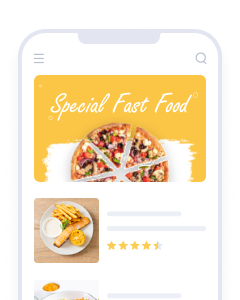
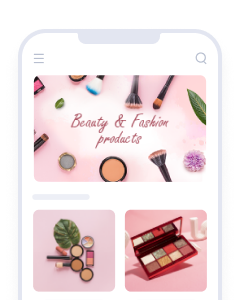
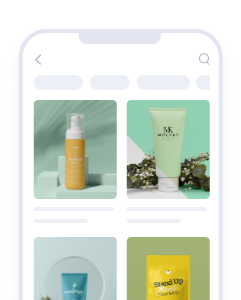
Custom app preview with built-in content features

No website required

Create and manage your app from scratch without connecting an existing website or external CMS.

Built-in CMS

Manage your app content directly inside AppMySite with posts, media, links, categories, and custom sections.

Media-rich app content

Add text, images, videos, buttons, links, and other content blocks to shape your app experience.

Custom app preview with built-in content features

Mobile navigation

Make browsing easier with app-first menus, bottom navigation, and mobile-friendly content flows.

Push notifications

Send timely updates to users and bring them back to new content, offers, announcements, and more.

App Store compliant

Generate native app builds ready for publishing on Google Play and the Apple App Store.

10 billion+

App sessions delivered

100 million+

Mobile app downloads

1 million+

Mobile apps built

Content management built into your custom app

All the tools you need to create a content-rich, feature-ready app with AppMySite’s custom app builder.

Pages feature icon

Pages

Create and customize unlimited pages to deliver meaningful, engaging content.

Posts feature icon

Posts

Add and manage unlimited posts to enhance content discovery.

Categories feature icon

Categories

Organize content using categories for better navigation and searchability.

In-app purchases feature icon

In-app purchases

Sell digital products and unlock paid content directly inside your app.

Attributes feature icon

Attributes

Use custom attributes to enhance sorting and filtering for detailed content classification.

Filter and sort feature icon

Filter & sort

Help users find the right content faster with flexible filtering and sorting.

Bookmarks feature icon

Bookmarks

Let users save posts and pages for quick access when they return.

Content blocks feature icon

Content blocks

Add pre-built content blocks to create pages and posts with text, media, links, and more.

Analytics feature icon

Analytics

Track how users interact with your app screens and improve engagement.

Get a website with your app

Create your app content once and publish it as a mobile app and website, with the option to connect your own domain.

Custom app content published as a website Custom app content published as a website

Launch as a Progressive Web App

Share your custom app as a fast, installable Progressive Web App with our PWA builder.

Progressive Web App preview for custom apps Progressive Web App preview for custom apps

Install from the browser

Users can open and install your app directly from a mobile browser with a shareable link.

Fast and lightweight

Deliver a responsive PWA experience that loads quickly across supported devices and browsers.

No app store approval

Launch your Progressive Web App without waiting for reviews, approvals, or resubmissions.

Custom app feature tour

Explore everything your app can do

AppMySite gives you access to a wide range of features designed to help you create, customize, and manage your app with more control. From design, navigation, and user engagement to publishing, analytics, monetization, and more, you can shape your app around your goals.

Explore the full feature set to see how AppMySite helps you build better app experiences without coding and get started for free.

Explore featuresExplore AppMySite features Custom app feature tour

Why teams build with AppMySite

Launch faster, eliminate development effort, and create mobile apps with the flexibility, control, and platform coverage your goals demand.

icon

Launch faster

Go from website to mobile app in minutes with a faster, simpler way to build and preview.

icon

Build without coding

Create and manage your app with a no-code builder designed for speed, control, and ease of use.

icon

Publish everywhere

Generate store-ready app builds and publish across major app marketplaces with confidence.

icon

Start for free

Create your app for free and upgrade only when you are ready to publish and launch.

Publish everywhere your audience is

Create Android apps, iPhone apps, and Progressive Web Apps without coding and publish to Google Play and Apple App Store with ease.

Android apps icon

Android apps

Generate APK and AAB builds ready for Google Play and publish Android apps with more speed and control.

iOS apps icon

iOS apps

Create native iPhone apps ready for Apple App Store submission with guided certificate support and smoother updates.

PWA icon

Progressive Web Apps

Launch fast, installable PWAs that work across browsers and give users a lighter app experience without app store submission.

White-label app builder for agencies

Use our white-label mobile app builder to create apps for clients under your brand and grow your agency without expanding your development team.

Explore agency app builder Agency solutions cards
Build Your App

Built for non-technical users

AppMySite makes app development easy with simple drag-and-drop tools, toggle-based features, and real-time previews, so you can build your app without needing developers.

We handle the app-building ecosystem for you, including platform infrastructure, hosting, maintenance, and ongoing updates, so you can focus on your app instead of managing the technology behind it.

Build Your App

Trusted by 800,000+ users worldwide

See what customers are saying about AppMySite across leading review platforms and discover why users worldwide trust us to power their mobile apps.

See all reviewsArrow right
G2 star rating
Capterra star rating
Trustpilot star rating
WordPress star rating

Frequently Asked Questions

I’m not a developer. Can I create a custom mobile app without coding?

You do not need to be a developer to use AppMySite’s custom app builder. Most of the work happens through visual controls, drag-and-drop tools, toggle-based settings, and live previews, so it feels more like configuring your app than developing one from scratch.

You can create the content, screens, navigation, branding, and features inside AppMySite, then use that work to create a native Android app, iPhone app, and Progressive Web App experience. A technical background is not required to start building or testing your app.

Do I need a website to build a custom app with AppMySite?

No. This product is meant for people who want to build an app even if they have not created a website first. You can create your app content inside AppMySite and use the same content to publish a website, so the app and web experience can be managed together.

If you already have a website, you are not locked out of using it. You can add existing pages, external links, or WebView screens where they make sense, and still use AppMySite’s own content tools for the rest of the app.

How does AppMySite create an app without using a website?

For custom apps, AppMySite works as the place where your app content lives. You can create pages, posts, media, menus, and screens inside the platform, then arrange them into the structure you want for your app.

That means you do not have to set up hosting, maintain a separate CMS, or build a website somewhere else before you begin. AppMySite gives you the content tools and the app-building tools in the same account, from setup and preview through to publishing.

What can I create with AppMySite’s custom app builder?

AppMySite’s custom app builder can be used to create a wide range of custom apps where you manage your own content structure. You can add screens, publish media, organize navigation, and shape the experience around the content or services you want users to access.

It does not have to be a static content app either. If your use case requires it, you can add features such as in-app purchases and build a more complete app experience without first setting up a separate website, CMS, or development team.

What kind of content can I add to my custom app?

You can add pages, posts, media, links, screens, menus, and content blocks directly inside AppMySite. It gives you a practical way to build out the content your app needs without creating a separate website just to hold that content.

From there, you can arrange everything for a mobile experience: what appears in the menu, how users move between sections, and what content needs to be updated later from your AppMySite account.

Can I add existing web pages or external links inside my custom app?

You can. A custom app does not require a website, but you can still bring in web pages or links when they are useful. This is helpful when part of the app already exists somewhere else, but you want the main app experience managed in AppMySite.

For example, a section of your app can open a form, booking flow, checkout page, dashboard, or another web-based experience, while the rest of the app stays managed through AppMySite.

Can I try the custom app builder for free before I pay?

You can start on AppMySite’s free custom app builder plan. It lets you create your app, add content, try the builder, adjust the design, and see how the app is coming together before you choose a paid plan.

The free plan is useful when you want to test an idea properly instead of paying before you have seen the product. You can keep working on the app and upgrade when you are ready to publish or use paid features.

Will my custom app update automatically when I change content in AppMySite?

Content managed inside AppMySite can be changed from your account without rebuilding the app every time. For this product, your AppMySite account is the main source for the content you create in the platform.

When users open the app, they can see the latest content you have published or updated. That keeps the app up to date without needing a separate website or CMS to sit behind it.

Where is my custom app content stored and managed?

Your custom app content is created and managed inside AppMySite. That includes the pages, posts, media, links, and other content you add through the builder.

In this setup, AppMySite acts as the CMS and hosting layer for the content in your app. You do not need to maintain another website, another CMS, or another hosting setup just to keep the app content running.

Is a Progressive Web App included with my custom app?

A Progressive Web App, or PWA, can be included with your custom app. It gives users another way to access the app experience, alongside the native Android and iPhone apps you may publish through the app stores.

You can share the PWA with a link, users can open it in a browser, and they can install it on supported devices where the browser and operating system allow it.

Can users install my PWA without going through the app stores?

Yes. A PWA can be installed from the browser, so users do not have to go through Google Play or the App Store just to access it. That can be helpful when you want to share the app experience quickly through a link.

It should be seen as an additional option, not a replacement for native Android and iPhone apps. Some users will still prefer app-store installs, while others may be happy to open or install the PWA directly.

How is a PWA different from my native Android or iPhone app?

A native Android or iPhone app is built for app-store distribution and installed through the device’s app ecosystem. A Progressive Web App runs through a browser, but on supported devices it can still be installed and opened much like an app.

With AppMySite, you can use both paths. The same content and data can be available through the native apps and the PWA, while users choose the access point that works best for them. Native apps give you Google Play and App Store visibility; the PWA gives you a lighter option that can be shared without app-store approval.

Can I share my Progressive Web App with a link?

Your Progressive Web App can be shared with a direct link. Users can open that link in a browser instead of first searching for your app in an app store.

That makes the PWA easy to share from your website, email, social media, QR codes, campaigns, or anywhere else a link makes sense. On supported devices, users can also install it for easier access later.

Do I need app store approval to launch my PWA?

No. A Progressive Web App is accessed through the browser, so it does not go through the same approval process as apps submitted to Google Play or the App Store.

You can still publish native Android and iPhone apps separately when you want app-store visibility. The PWA simply gives you another way to launch and share the app experience without waiting for store review.

Will my PWA work on desktop and mobile devices?

A Progressive Web App can work on supported desktop and mobile browsers. The exact experience depends on the browser, operating system, and device being used.

Installation support can vary, but the basic idea remains the same: users can open the PWA from a link and use it through a supported browser.

Do I get a website with my custom app?

Yes. With the Custom App product, you can create a website from the same content you use for your app. It is not something you have to build separately on another platform.

You end up with a browser-based version of your content alongside your native Android app, iPhone app, and Progressive Web App. You can focus on building the app and still have a website available for people who prefer to access your content from the web.

How does the website builder work with my custom app?

The website builder uses the content you create inside AppMySite. Pages, posts, media, and other content added to your account can be used for the website as well as the custom app.

So instead of building a website in one place and an app in another, you can manage both from the same platform. That is especially useful if you are starting without an existing website or CMS.

Can I use my own domain for the website I create with AppMySite?

You can connect your own domain to the website you create with AppMySite. In practice, this means updating your DNS settings, such as pointing a CNAME record to the details provided by AppMySite.

AppMySite handles the hosting infrastructure and SSL for the website, so you do not need to arrange a separate hosting account or manage SSL setup yourself.

Do I need separate hosting for the website I create with AppMySite?

No separate hosting is needed for the website you create with AppMySite. The website is hosted through AppMySite’s infrastructure, so you do not have to choose or maintain another hosting provider.

That keeps the setup more straightforward because the app, PWA, and website can all be managed from the same place.

Can I update my website and app content from the same place?

Yes. Your website and custom app can use the content you manage inside AppMySite, so updates can be made from one account instead of two separate systems.

When you update content in AppMySite, that latest version can be used across the website, PWA, and native app experience wherever the content is published.

What design options do I have for my custom app?

Inside AppMySite, you can control the main parts of your custom app’s design without writing code. The builder includes visual settings for branding, colors, screens, navigation, and other parts of the app experience.

The goal is to help the app feel like your brand, not like a generic template, while still keeping the design process manageable for a non-technical user.

Can I preview my custom app while I design it?

You can preview your custom app while you work on it. AppMySite includes preview tools that let you check the app experience as you add content, adjust the design, and organize navigation.

You can keep making changes and reviewing the app until it looks and feels right, before you move toward publishing.

Can I change my custom app design after publishing?

You can keep updating many parts of your app design after it has been published. This includes changes to content presentation, navigation, colors, branding, screens, and other design settings managed inside AppMySite.

Many design and content changes can appear without asking users to install a new version. If a change affects the app build itself, you may need to rebuild or resubmit the app.

Can I send push notifications to my custom app users?

Push notifications are available for custom mobile apps through Google Firebase and OneSignal. After users install your app, you can use notifications to send timely messages and bring people back into the app.

Notifications can be sent from inside AppMySite. If you prefer to use your own OneSignal account, you can connect it and manage or track notifications there.

Can I schedule push notifications?

You can schedule push notifications in advance from AppMySite. It is useful when you already know when a message should go out and do not want to send it manually at the last minute.

Can push notifications open specific screens or content inside my custom app?

Push notifications can open specific destinations inside your custom app where deep linking is supported. That way, a user can tap a notification and land closer to the relevant screen or content instead of starting from the app’s first screen every time.

The exact destinations available depend on how your app is set up and which screens or content areas you have created in AppMySite.

Can I add images to my push notifications?

You can add images to push notifications where the device, operating system, and notification service support image display. It gives you a more visual notification when the recipient’s device can show it properly.

The final appearance can vary across devices, operating systems, user settings, and the push provider being used.

Can I send notifications to specific users or groups?

Targeted messaging is available through advanced push notifications. Instead of sending every notification to every user, you can send messages to specific users or groups where your setup supports it.

If you use OneSignal, you may also be able to work with segments and geotargeting, depending on how your OneSignal account and notification configuration are set up.

Can I track push notification performance?

You can track the performance of every push notification sent through AppMySite, so you can see how users respond to the messages you send.

If you connect your own OneSignal account, you can also review the notification data inside your OneSignal dashboard.

Can I send automatic notifications when I publish new content?

Not automatically at the moment. AppMySite supports manual and scheduled push notifications, but it does not yet send a notification every time you publish or update content.

Do push notifications work on my PWA too?

Push notifications can work on your PWA when the PWA is installed on a supported device or browser and the user has allowed notifications. It is another way to reach people who use the Progressive Web App instead of the native Android or iPhone app.

Can I publish my custom app on Google Play and the Apple App Store?

AppMySite helps you generate the app files needed to publish your custom app on Google Play and the Apple App Store.

You can also distribute the Android version through other Android app marketplaces, as long as your app meets the requirements of each store.

Do I need my own Google Play and Apple developer accounts?

You need your own Google Play and Apple developer accounts if you want to publish the app under your own name or business.

AppMySite does not publish customer apps through our developer accounts. This keeps the app-store listings, developer accounts, ratings, reviews, and store presence under your ownership.

What app files does AppMySite generate for publishing?

AppMySite generates the files you need to test, submit, publish, and distribute your app.

For Android, you can generate APK and AAB files. For iPhone and iPad, you can generate IPA files for testing and App Store submission.

Can I preview and test my custom app before publishing it?

You can preview your custom app inside AppMySite using the simulator, and you can also download it to your phone for real-device testing.

That gives you a chance to use the app as a customer would, spot anything that needs work, and make changes before submitting it to the app stores.

Can I publish my custom app directly from AppMySite?

AppMySite offers an easy-publish integration that helps you submit your app to the app stores from inside your account.

You still need your own Google Play and Apple developer accounts, but the integration can make the submission process easier to manage.

Can AppMySite help me prepare my custom app for publishing?

If you want help from our team, you can purchase the publishing service and we can assist with preparing and submitting your app end to end.

If you prefer to handle it yourself, you can use AppMySite’s guided publishing tools, use the easy-publish integration, or download the app files and submit them manually through your own developer accounts.

What happens if Apple or Google rejects my custom app?

App-store rejections are not common when an app follows Apple and Google’s guidelines, but they can still happen.

The usual causes are things like restricted categories, prohibited products or services, incomplete app information, limited functionality, or in-app purchase issues for digital products and services. If your app is rejected, you can review the store’s feedback, make the required changes, and submit it again. You can also contact AppMySite support or purchase the publishing service if you want assistance.

How long does it take to publish a custom app?

Many users can build and prepare a custom app in AppMySite in about an hour. It can take longer if you want to spend more time adding content, trying layouts, adjusting the design, or testing different flows.

Once the app is ready, the rest depends on your developer accounts, submission steps, and the review timeline followed by each app store.

Start building your mobile app today

Get started for free. No credit card required.

© 2018-2026 AppMySite Inc.

Facebook YouTube LinkedIn Instagram X Product Hunt